Skip to content

FlutterFlow’s visual builder is now FlutterFlow Studio. Everything you’ve built is right where you left it. What’s changing

Start building Sign in

Already use FlutterFlow Studio? Open Studio

All releases

Release notes

In-app purchases and Google sign-in

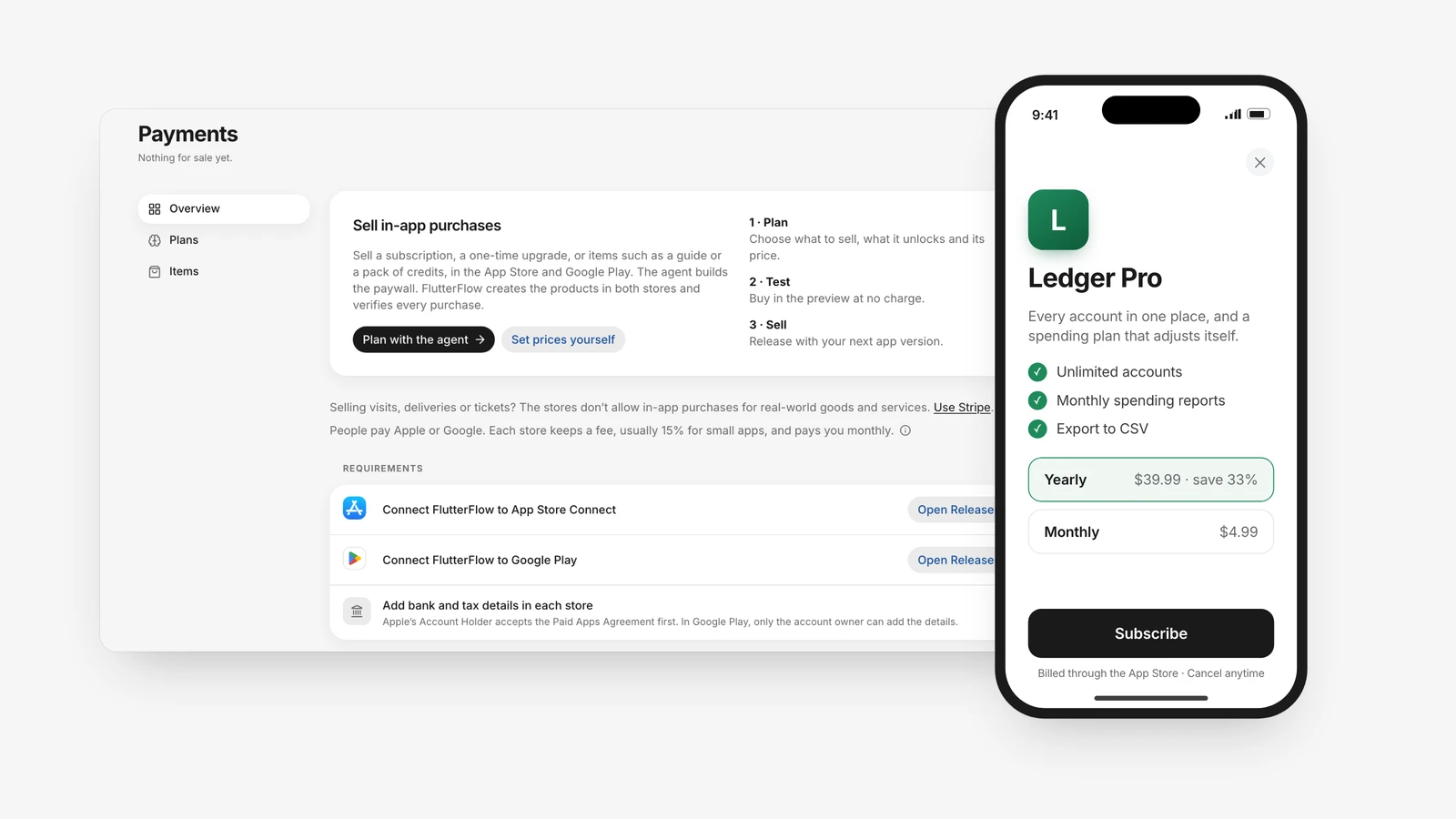
Payments in FlutterFlow, where you plan what your app sells, and in front of it the result on a phone: Ledger Pro's upgrade screen with yearly and monthly plans and a Subscribe button.

Your app can take in-app purchases through the App Store and Google Play, for a premium upgrade, unlocks or credits, and offer Sign in with Google. Set both up in Payments and Connections.

Highlights

Backend

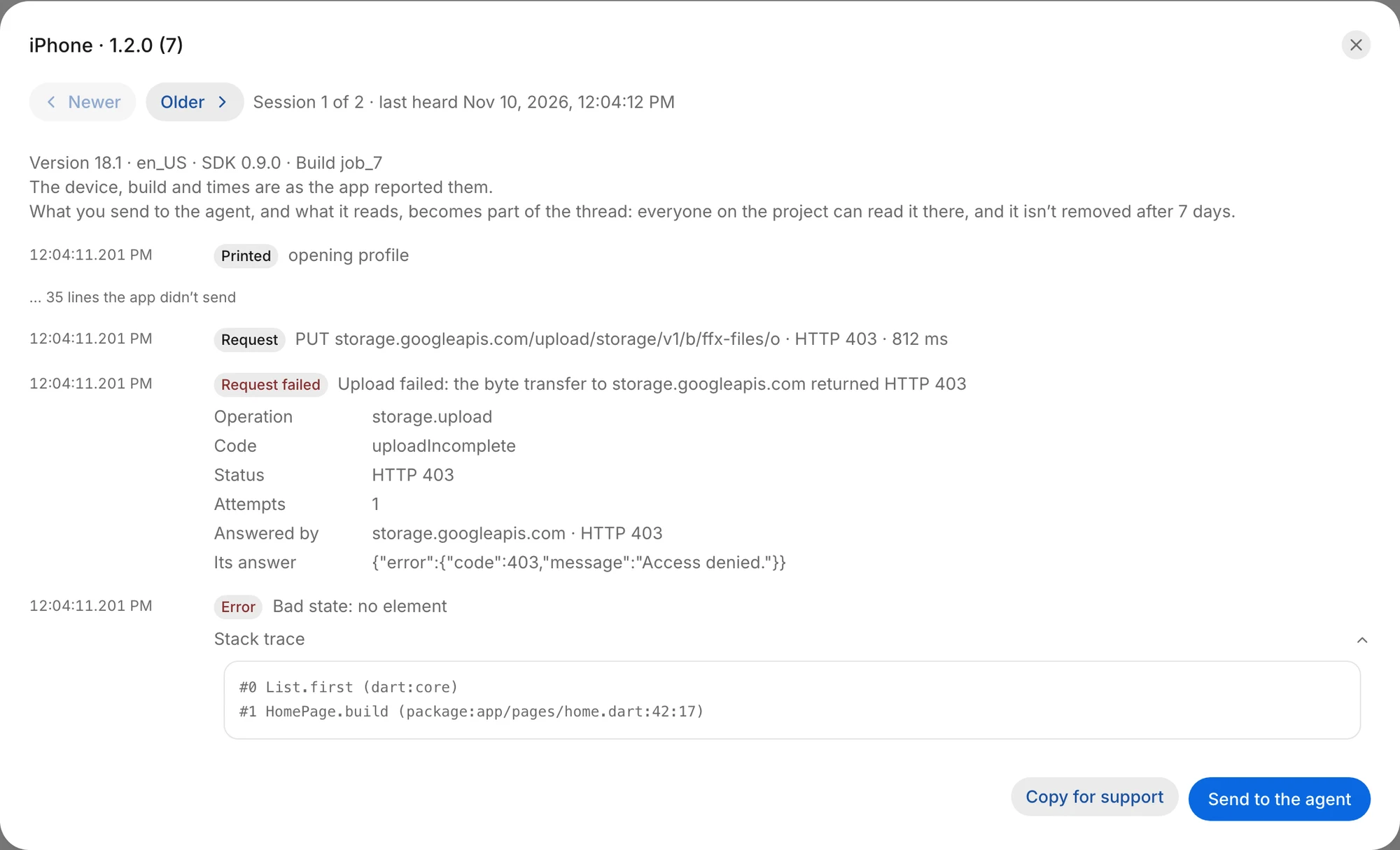
  • Your app reports its own failures to Backend › App logs, so you and your agent can read the error, its stack trace and what led up to it on someone else's device.
A session in Backend › App logs from an iPhone: a failed upload with the storage service's answer, an error with its stack trace, and the “Send to the agent” button.A session in Backend › App logs from an iPhone: a failed upload with the storage service's answer, an error with its stack trace, and the “Send to the agent” button.

Connections

  • New connections for Supabase, Calendly, PayPal and Twilio.

Threads

  • When the agent asks you for an API key, an “Explain” button tells you what the key is for and how to get one, step by step.
Try what’s new